Version v26.04

Warning

Update to version v26.04 must be performed according to special instructions.

Version v26.04 adds: automatic packet capture in General Protection, ISN-agent improvements, dynamic sFlow sampling, Flow/SNMP ratio page in Collector, GRE traffic processing distribution mode across cores, traffic bypass mode above the license bandwidth, traffic graphs from internal network in protection policies, updated PostgreSQL version.

The functionality of ACL, ACL6, ACLI, LACL, LACL6, ATLS, ITLS, SPLI, DNS, USF, BPF countermeasures has been expanded, as well as Collector, HPD, “Overview” page, “Flow Analysis” page, “Event Log”, and named filter rule sets.

Multiple UX improvements made.

Changes in v26.04

Host Protection Detector

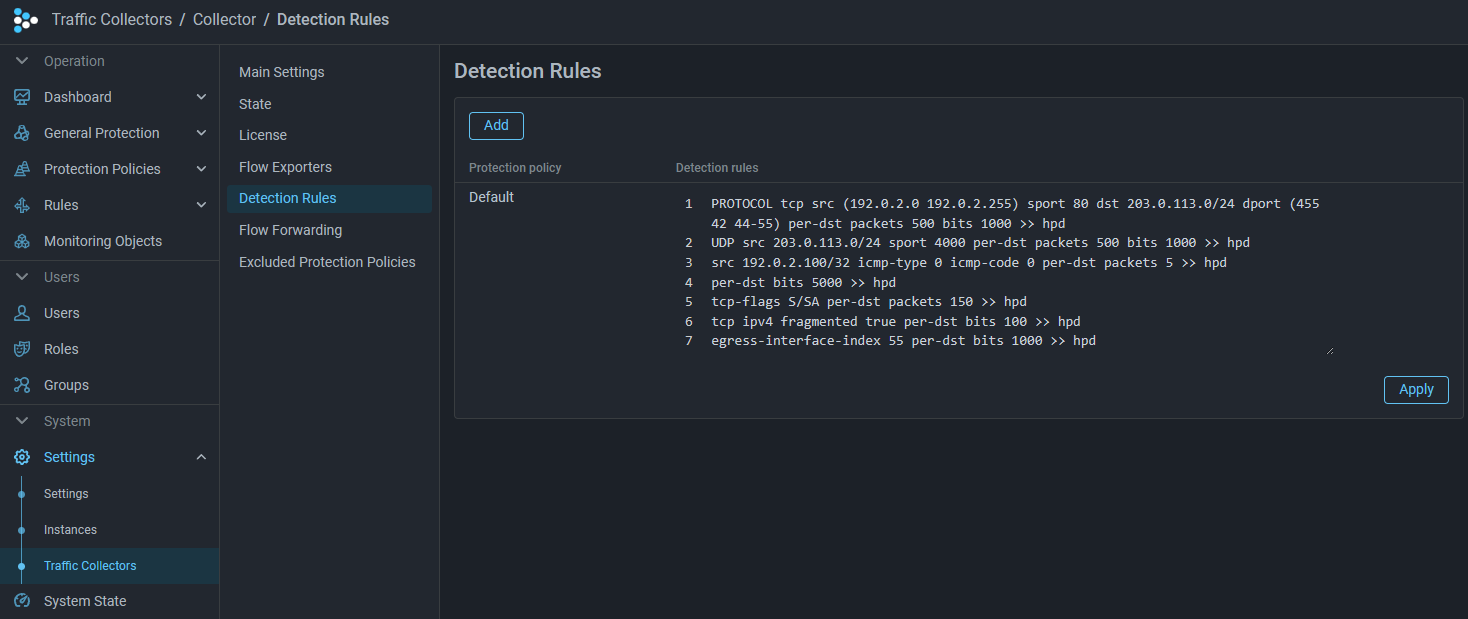
Added ability to mark traffic in HPD based on Collector data
Now the Host Protection Detector can mark traffic to IP addresses for which a threshold exceedance has been detected on the Collector.
Added logging of HPD activation reason

Now the Host Activation Log stores not only the fact of activation of the mechanism for a specific IP address, but also the reason for activation and the rule, if present.

instance_id,instance_name,created_at,action,dst_ip,reason,rule
1,Mitigator0,2022-09-02 10:44:31.53622 +0000 UTC,added,10.0.2.254,LimitBps,BITS 200 ACL udp
1,Mitigator0,2022-09-02 10:44:41.51245 +0000 UTC,added,10.0.2.254,UntrustedSource,
Increased maximum bit limit
Now in rules and counter for other packets you can set a limit up to 10 Gbps.

PCAP

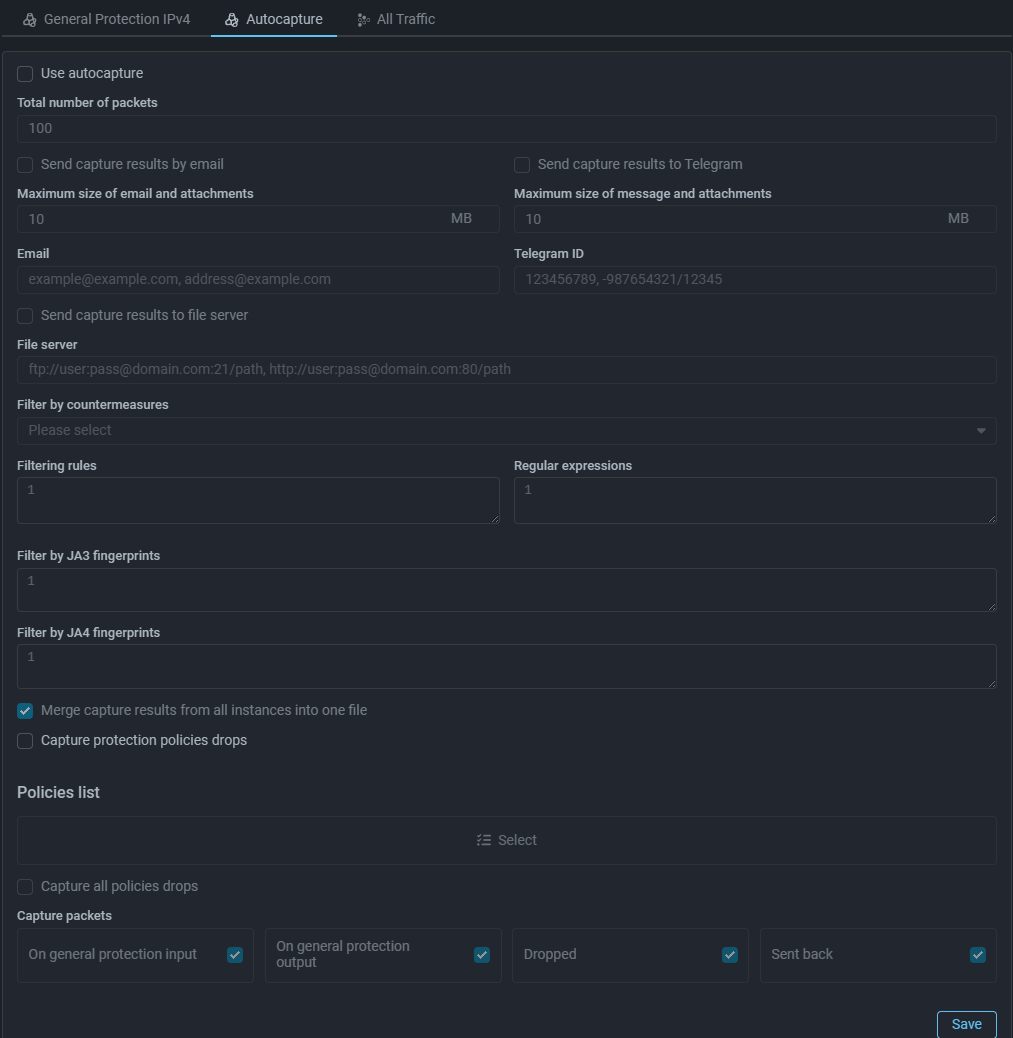
Added automatic packet capture in General Protection

Automatic packet capture has been added to General Protection IPv4 and IPv6, similar to auto-capture in protection policies.
Protection Policies

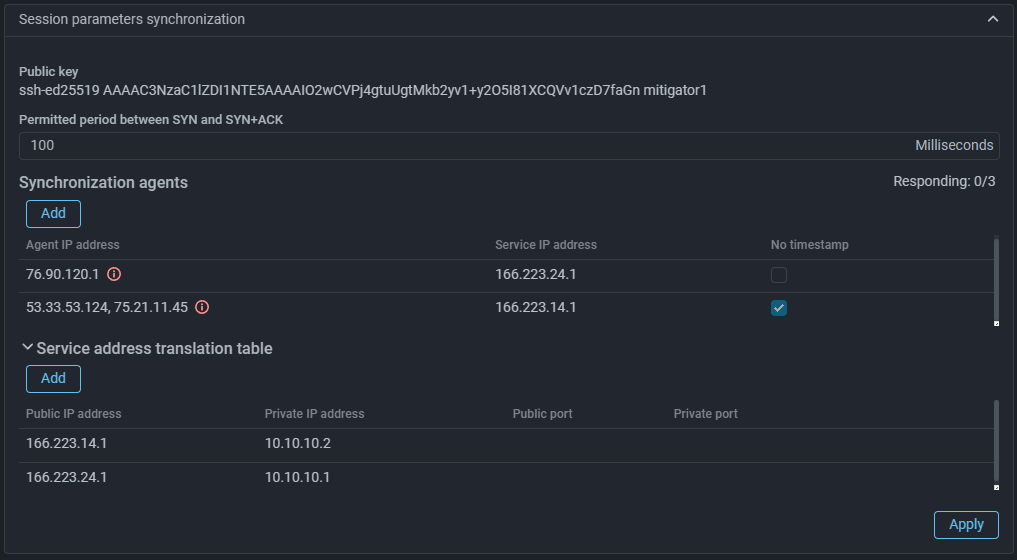
Added TCP Timestamps option check by ISN-agent

Now when checking SYN+ACK packets, you can select processing mode without taking Timestamp into account.

Since not all servers send Timestamp, the check can be disabled by setting the flag “No timestamp” in the session parameter synchronization settings for a specific server. The parameter applies to all servers listed in the line. If you need to apply it to only one server, you need to move it to a separate entry. If the synchronization agent is used in multiple protection policies, and in at least one of them the “No timestamp” parameter is set, it will be applied in all policies.

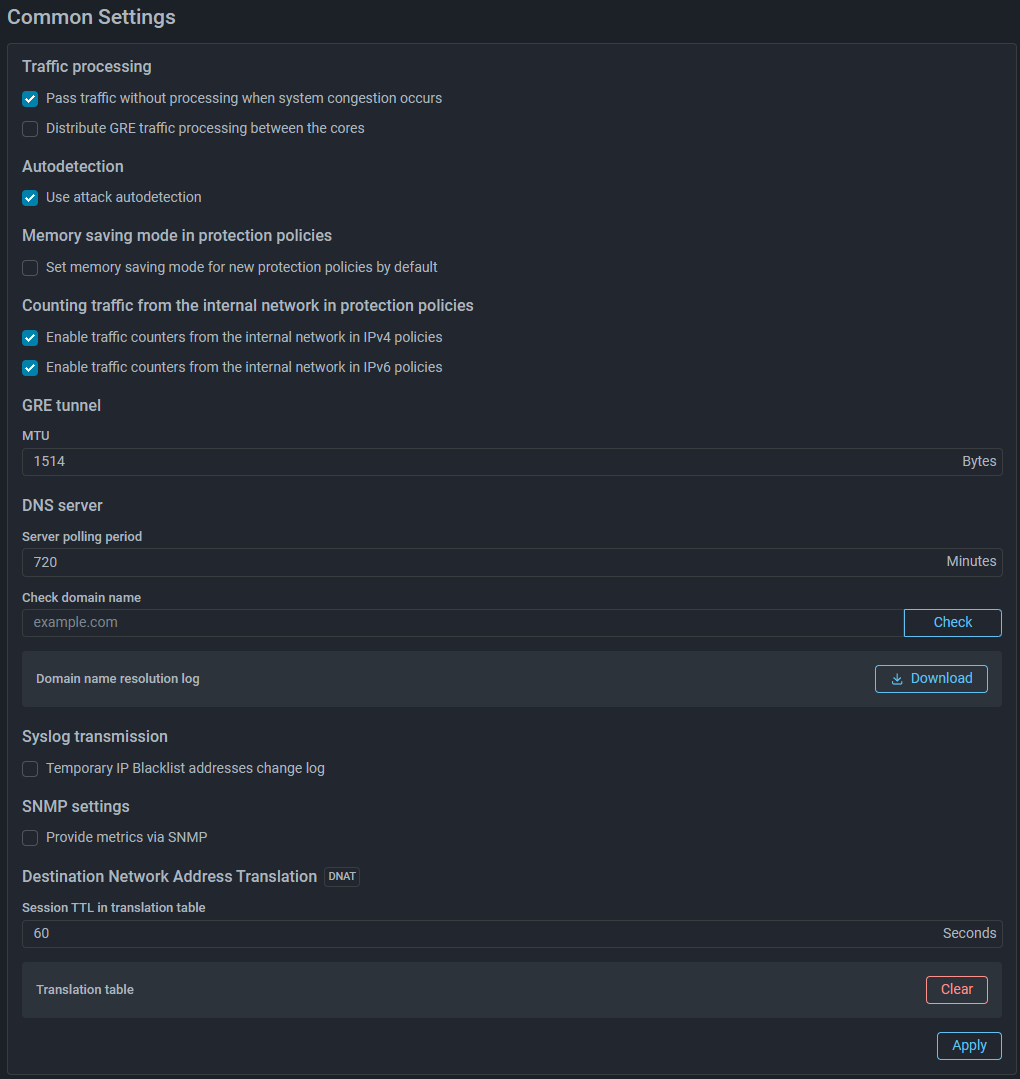
Added traffic graphs from internal network in protection policies

Now on protection policy graphs you can see curves for traffic from internal network, associated with this policy.
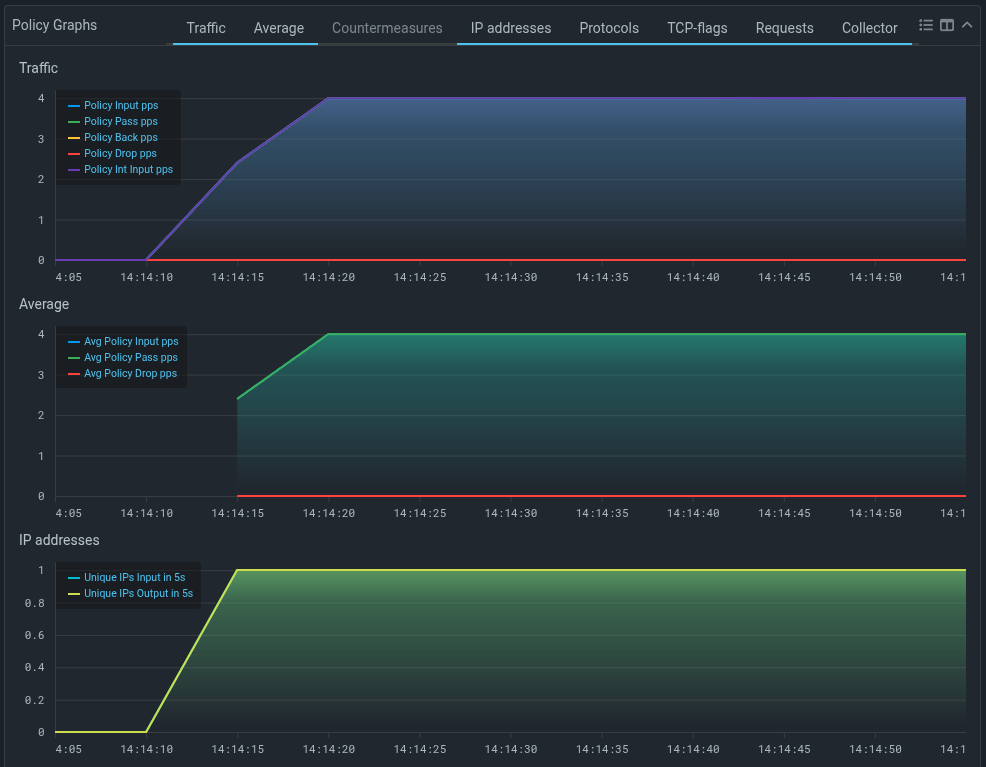
Enabling counting of traffic from internal network for display on graphs is done on the “Common Settings” page in system settings and affects all protection policies.
Countermeasures

Removed VLAN ID functions in mitigator_bpf.h

VLAN ID functions have been removed from the public API of BPF programs. If these functions were used in your BPF programs, when rebuilding them with the new mitigator_bpf.h header, you need to add these functions to the program source code:

#define VLAN_ID_MASK 0x0fff

/** @brief Get VLAN ID from 802.1q header. */
LOCAL uint16_t
vlan_get_id(const struct VlanHeader* vlan) {
    return bswap16(vlan->control) & VLAN_ID_MASK;
}

/**
 * @brief Set VLAN ID in 802.1q header.
 *
 * If you don't need to keep rarely used DEI and PRI, a faster alternative is:
 * @code
 * vlan->control = bswap16(id);
 * @endcode
 */
LOCAL void
vlan_set_id(struct VlanHeader* vlan, uint16_t id) {
    uint16_t bits = vlan->control & ~bswap16(VLAN_ID_MASK);
    vlan->control = bswap16(bswap16(bits) | id);
}
Added graphs by request types in DNS countermeasure
A “Types” tab has been added to the DNS countermeasure graph, showing the rates of DNS requests with different types.
Changed tracked sessions graphs in USF countermeasure

Now the countermeasure graphs display the number of sessions observed both inside and outside the recent session ignore depth window:

  • USF Allowed sessions — number of tracked sessions that were observed outside the recent session ignore depth window;

  • USF Ignored sessions — number of tracked sessions that were observed only inside the recent session ignore depth window.

Added icmp6 alias support in rules for countermeasures with ACL
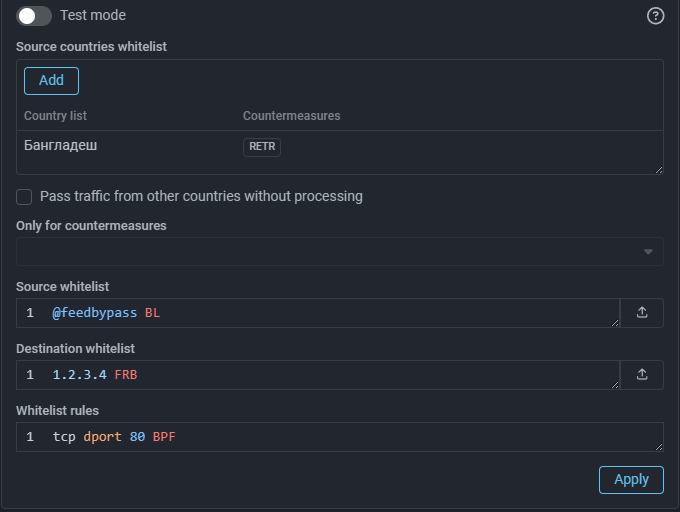
Now in rules for HPD, ACL, FRAG, FACL, RETR, FRB, LACL, ACLI, DNAT you can specify alias icmp6 instead of protocol 58.
Added BYPASS and COUNT BYPASS actions in ACL countermeasure
The BYPASS action passes traffic matching the rule to the protection policy output for ACL in policy or to system output for ACL in General Protection. The COUNT BYPASS action additionally counts the passed traffic and displays it on the graph.
Added BYPASS and COUNT BYPASS actions in ACL6 countermeasure
Added BYPASS and COUNT BYPASS actions in ACLI countermeasure
Added BYPASS action in LACL countermeasure
Added BYPASS action in LACL6 countermeasure
Added support for TLS FALLBACK scenario in ATLS countermeasure
Added graph of authenticated IP addresses count in SPLI countermeasure
Added autodetection mechanism support in ITLS countermeasure

sFlow

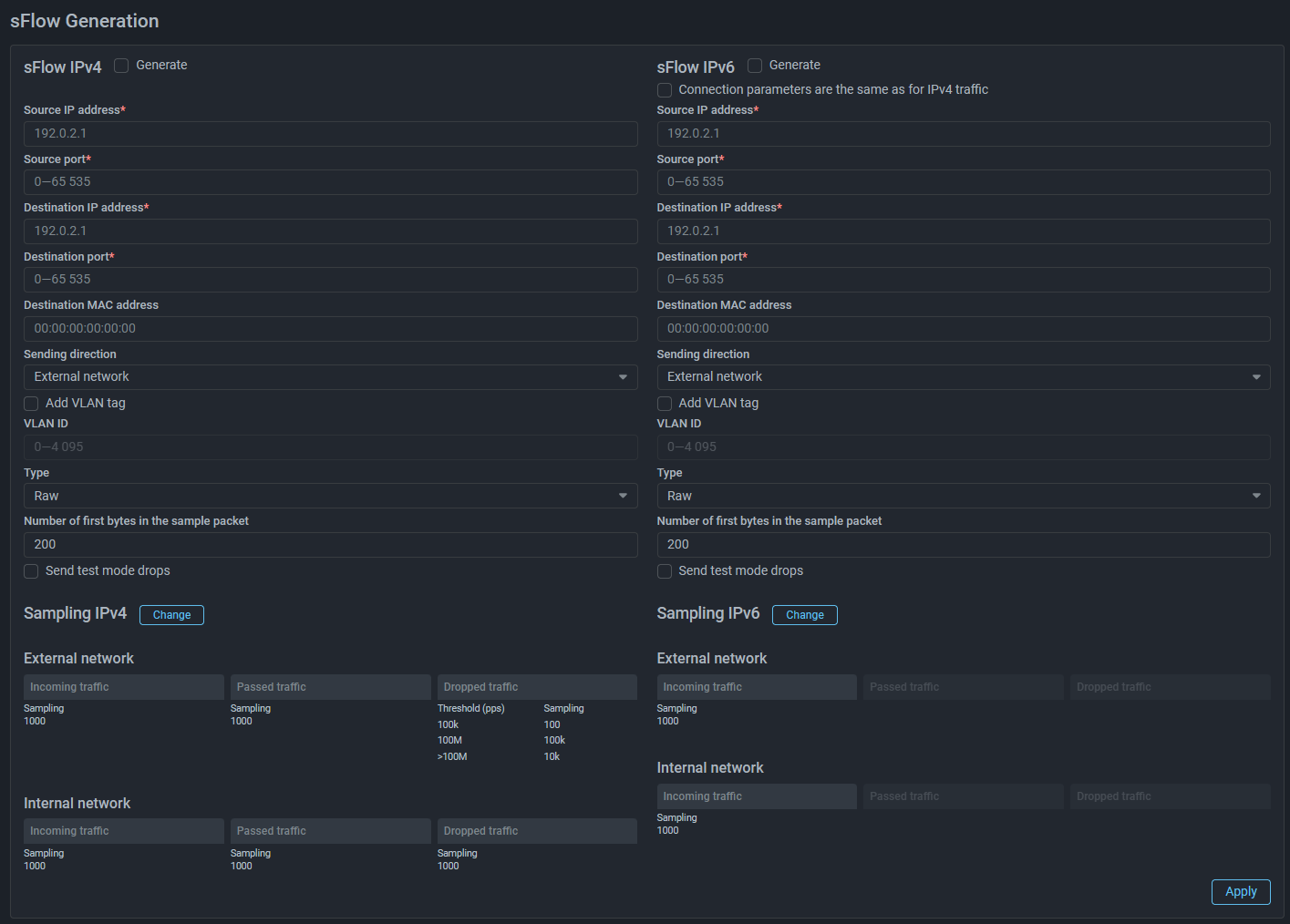
Added dynamic sampling when sending sFlow

Now you can set different sFlow sampling values for different traffic rates. When the set rate threshold is exceeded, the sampling value changes automatically. You can set up to four sampling values for different traffic rate ranges.
Collector

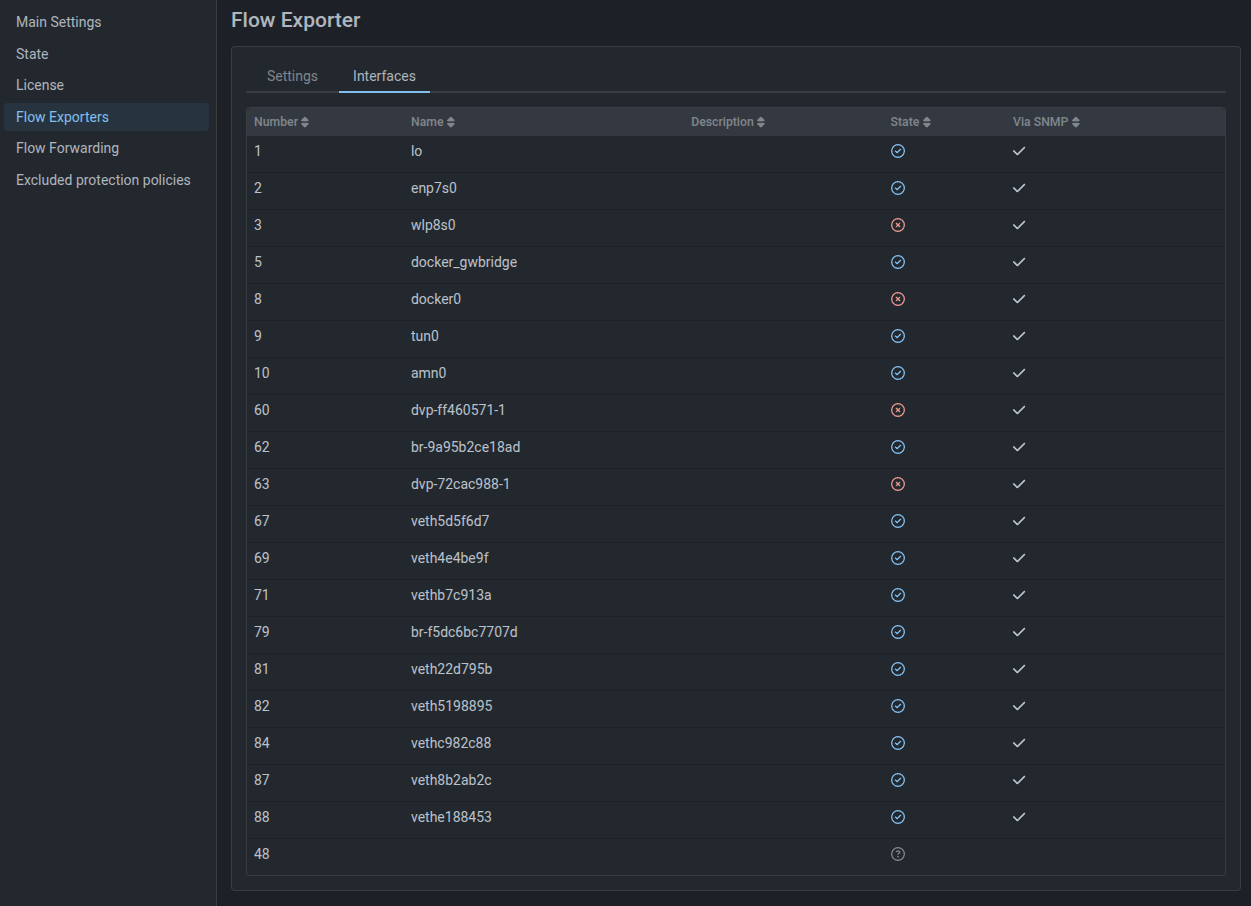
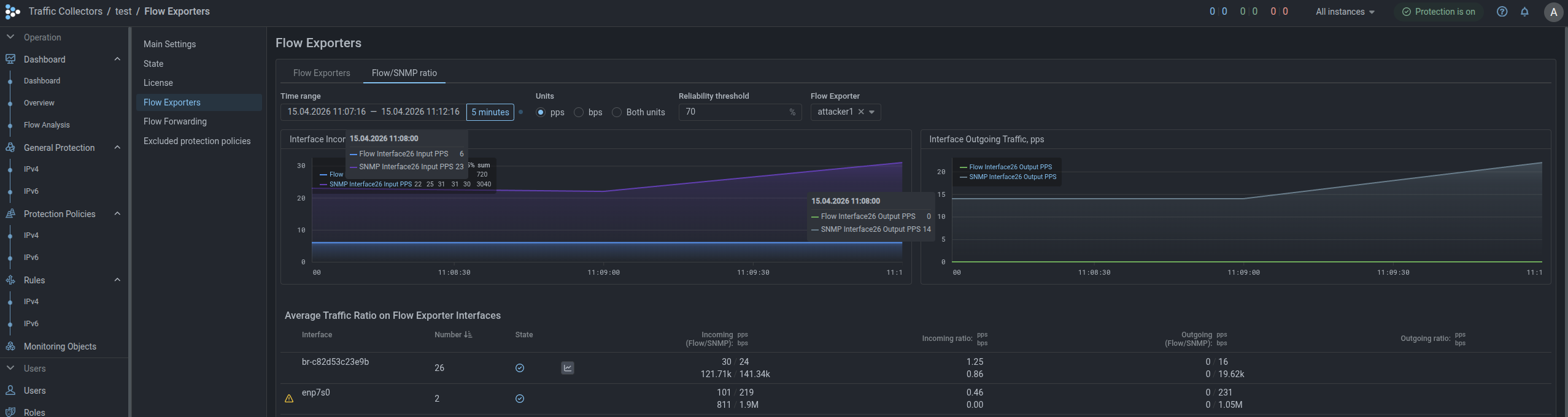
Added page for displaying average traffic ratio on Flow source interfaces

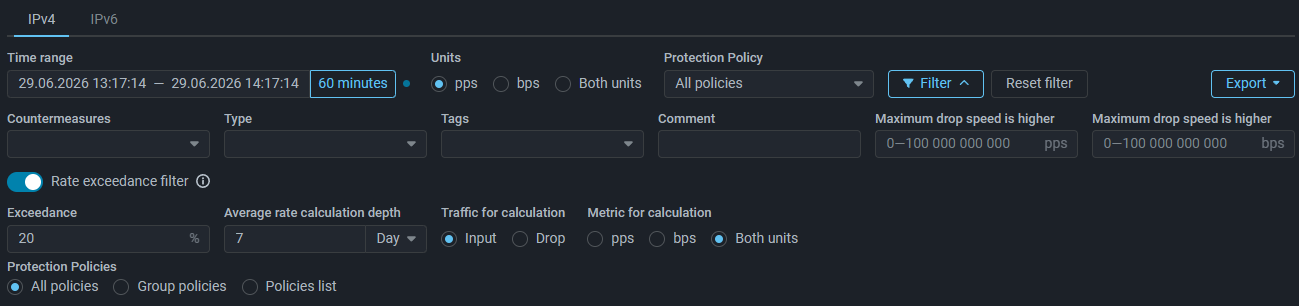
A “Flow/SNMP Ratio” tab has been added to the “Flow Exporters” page, displaying traffic statistics on all source interfaces obtained via Flow and SNMP.

The tab also sets the “Reliability threshold”, which determines the acceptable deviation in the ratio of average traffic rate obtained via Flow to that obtained via SNMP. For example, with a reliability threshold of 90%, a Flow/SNMP metric value ratio from 0.9 to 1.1 is considered normal.

If the ratio of average traffic rate values obtained via Flow to those obtained via SNMP does not match the reliability threshold, this may mean that the system is configured incorrectly, or data is not being received. For such interfaces, appropriate indication appears in the row.
Flow source interfaces table moved to a separate tab
Added new Flow source interface status

Now in the “Status” column of the Flow source interfaces table, the interface displays one of three statuses based on SNMP data:

  • interface status UP;
  • interface status DOWN;
  • interface status unknown.

Core

Added mode for distributing GRE traffic processing across cores

When activating the “GRE Tunnel with External Service” function in instance settings, GRE traffic processing is by default performed on a single CPU core. If the flag is set, balancing across all cores will be performed. The setting is applicable only when using Mellanox network cards, for other network cards the setting is ignored.
Updated PostgreSQL version
Due to the PostgreSQL version update, updating MITIGATOR to version v26.04 must be performed according to special instructions.
Added bypass mode without processing for traffic above license bandwidth

ISN-agent

Updated ISN-agent for version v25.06+
An updated version of ISN-agent for Linux with support for additional instructions on kernel versions 6.12 and above has been published on Github. Update the ISN-agent if you are using kernel 6.12+.

Analytics Server

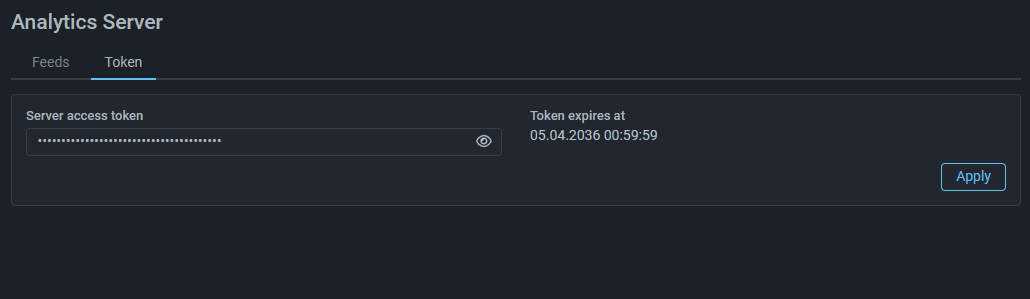
Added token expiration date indication for analytics server access

Roles and Permissions

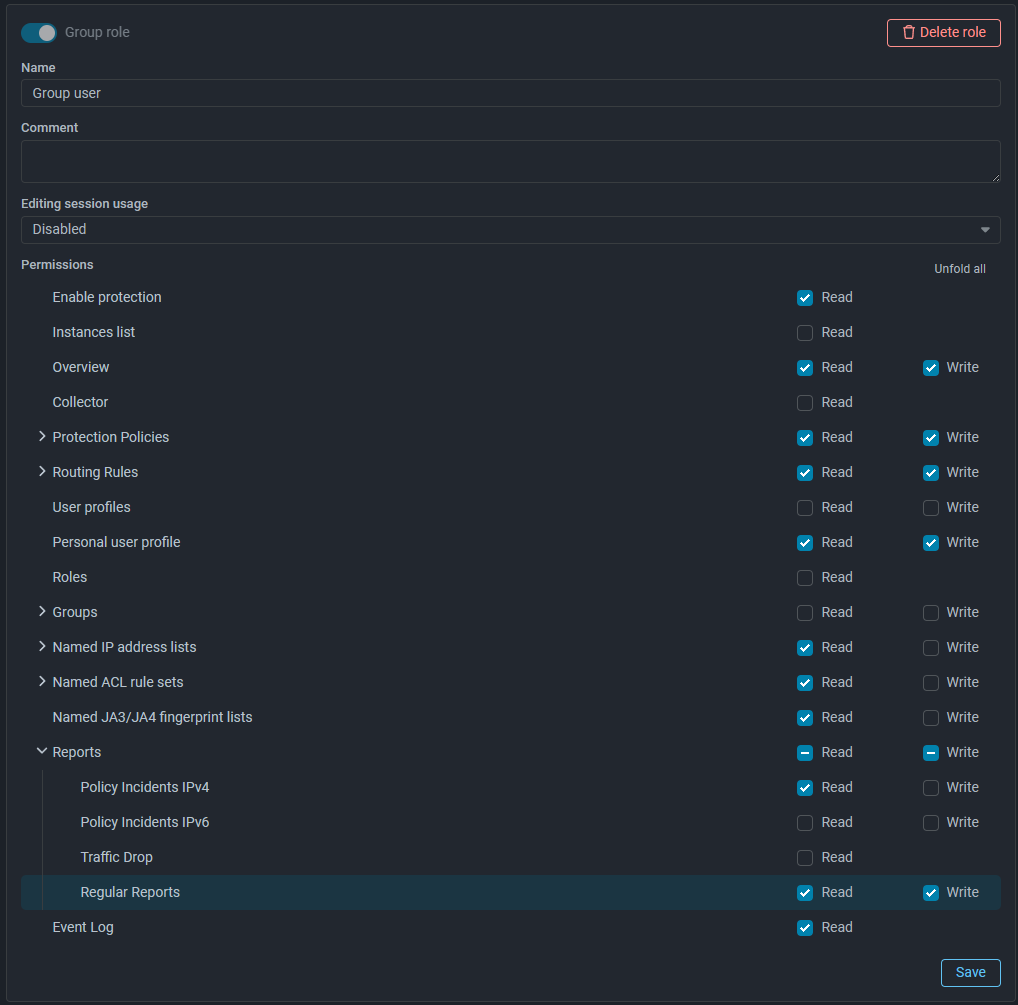
Added permissions for group users to create regular reports

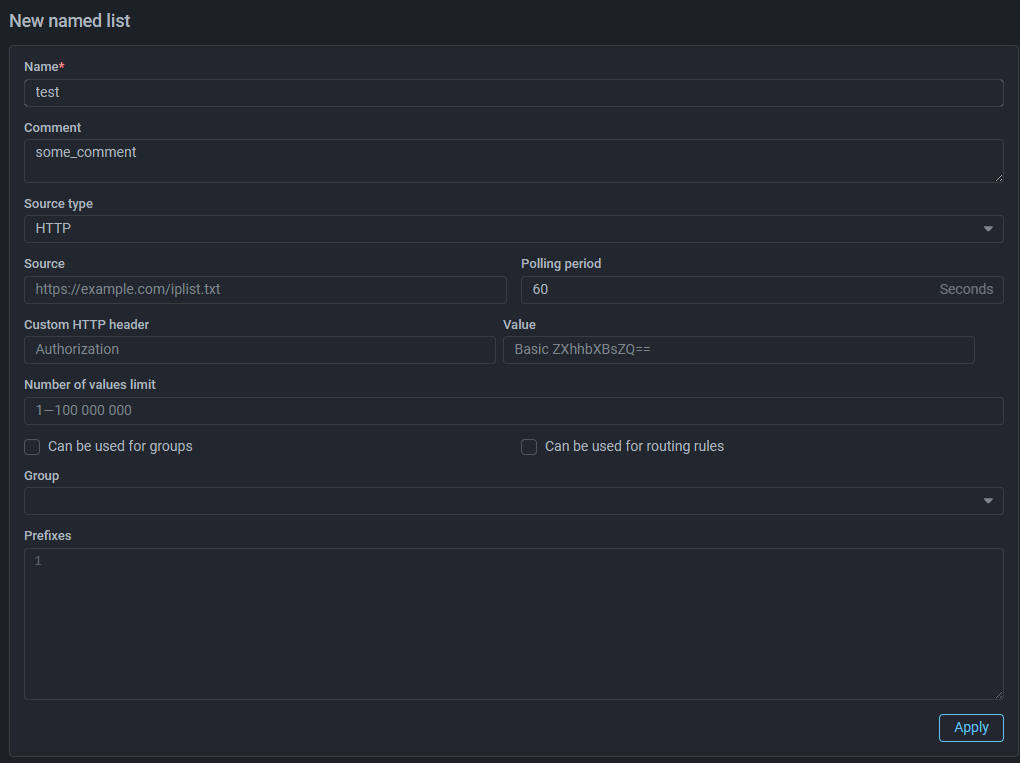
Named Lists

Added size limit for rules in named ACL Rule Sets
The size of a named ACL rule set can not be larger than 10,000 bytes.

"Overview" Page

Added ability to change tab order on "Overview" page

Previously tabs were sorted alphabetically, now by clicking the “Change tab order” button, you can move tabs.

"Flow Analysis" Page

Added widget category for building graphs on passed traffic
Added “Pass” widget category. Widgets in this category display sFlow from MITIGATOR on passed traffic.
Added widget with top by packet TTL

Event Log

Added logging of packet capture file paths
Now when placing packet capture result files on the file server, the paths to these files are recorded in the “Details” field of the event log.
Added token logging when ALERT action triggers in Logan
Now when ALERT action triggers in Logan rules, the token for which the rule triggered is recorded in the “Details” field of the event log.

Interface

Added ability to set threshold values with different decimal prefixes

To improve convenience of setting thresholds and simplify perception of already set ones, the ability to change decimal prefixes when specifying values has been added.

As an experiment, currently the functionality has been added to HPD, BPF and TAP interface, we plan to extend this change to all other mechanisms and countermeasures in the future.

Unified date and time order in fields displaying action execution time
Now in all interface elements where date and time of action execution were specified, the order is identical: yyyy-mm-dd HH:MM:SS.