Version v26.06
Version v26.06 adds: changed mechanism for determining country affiliation of IP addresses, transfer of protection policy settings between clusters via clipboard, graphs of traffic bypassed by WL and TWL countermeasures, handling of host field values in Logan rules, PSG service connection settings, SNMP Trap sending, separate permissions for accessing monitoring objects sections, MAX messenger support, support for multiple alternative tunnels in protection policy, FRB blocking reasons log, widget category for building graphs on passed traffic in flow analysis.
The functionality of ATLS, FRB countermeasures, as well as Flow analysis, monitoring objects, ISN synchronization agent and notifications has been expanded.
UX improvements have been made.
Changes in v26.06
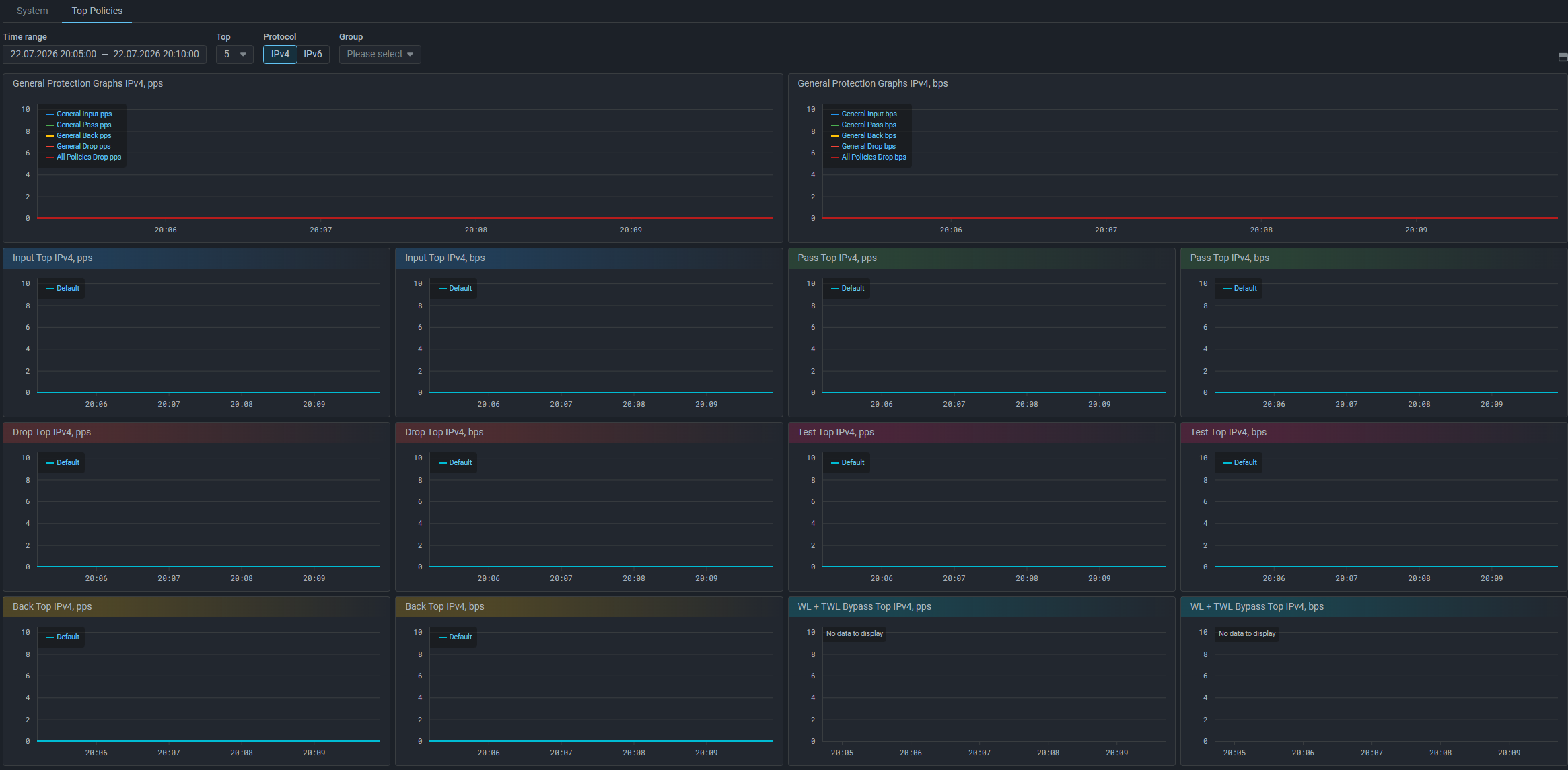
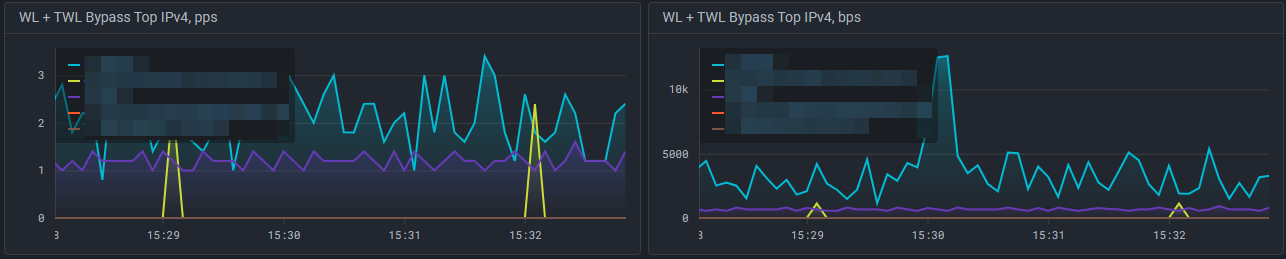
On the “Top Policies” tab of the “Dashboard” page, graph areas “WL + TWL Bypass Top IPv4, pps” and “WL + TWL Bypass Top IPv4, bps” have been added, which display the top of protection policies with the highest traffic bypass by WL and TWL countermeasures.
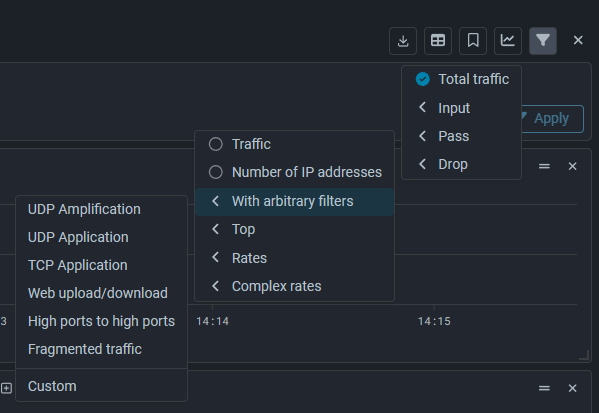
Added widget category “Pass”. Widgets in this category display sFlow from MITIGATOR on passed traffic.
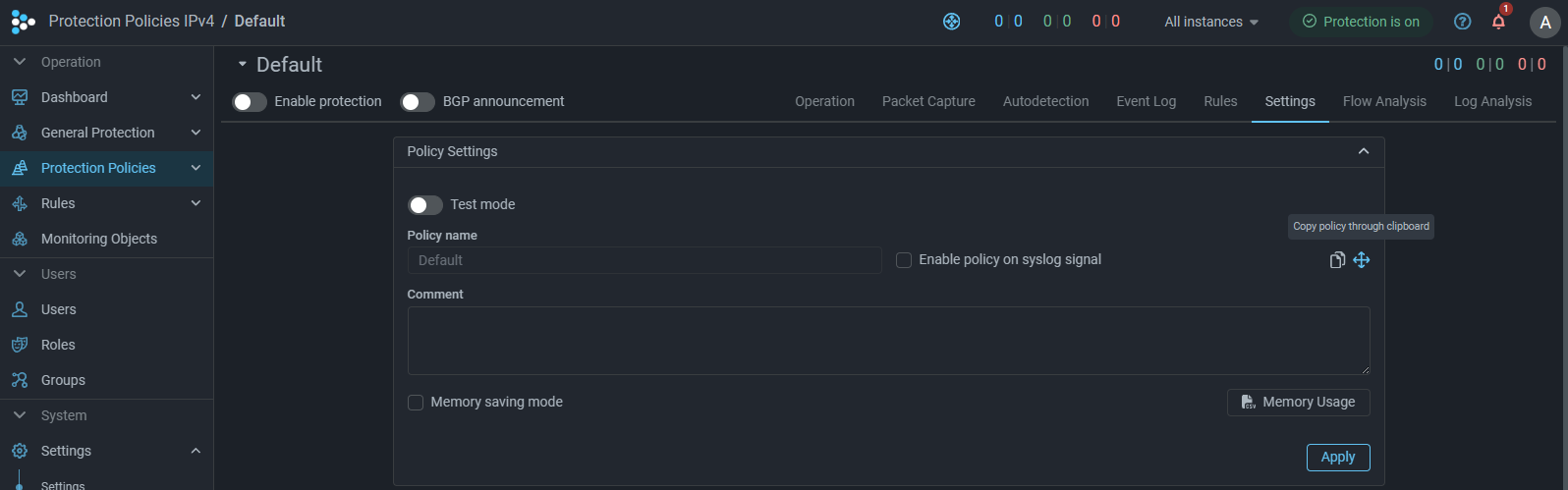
A button for copying policy settings via clipboard has been added to the “Settings” tab in the protection policy.
When copying, the scope is selected. You can copy:
- countermeasure parameters;
- countermeasure parameters and autodetection settings;
- all policy parameters and settings.
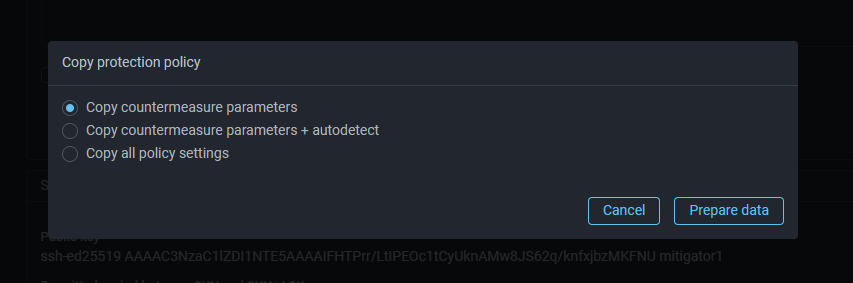
Settings are saved to clipboard in JSON format and can be applied to another protection policy, for example, on another MITIGATOR cluster. Application will completely replace all current protection policy settings with new ones.
Note
Since different MITIGATOR versions may have different sets of settings, transfer of protection policy settings should be performed between clusters with the same version. Correctness of applying settings when transferring between clusters of different versions is not guaranteed.
Now in the FRB countermeasure you can enable logging of blocking reasons.
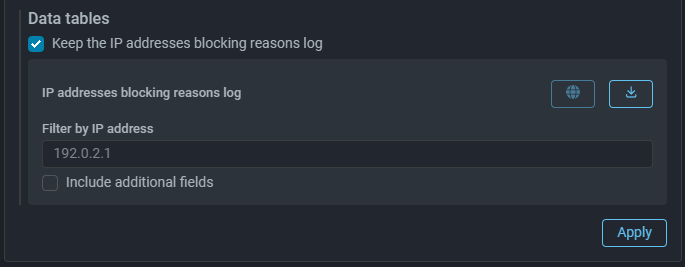
The log records the fact that a specific rule triggered for an IP address.
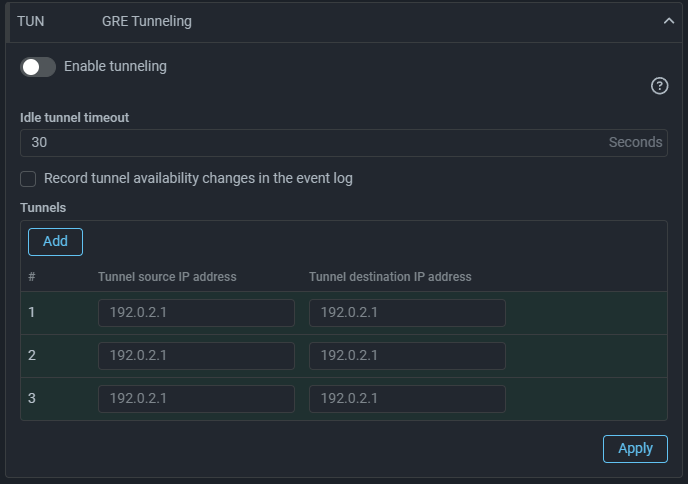
Added support for configuring multiple alternative tunnels in a protection policy. When the active tunnel becomes unavailable, traffic is switched to the next one in order.
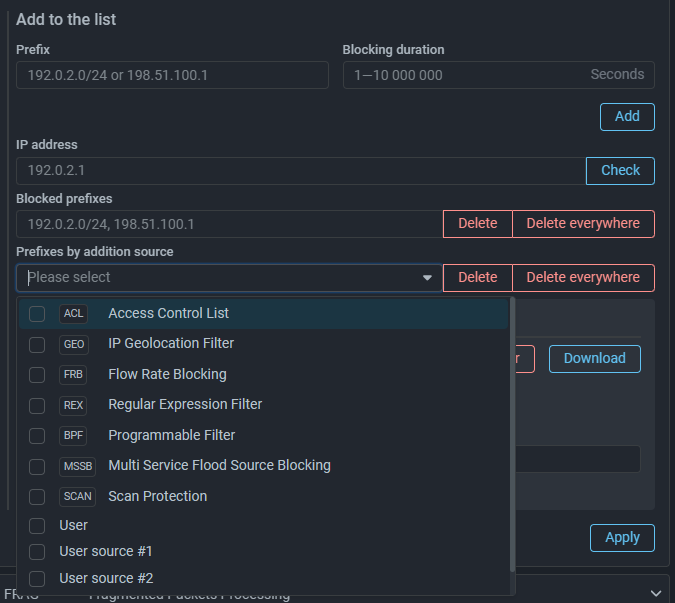
A “SNMP Trap Transmission” page has been added to System Settings, allowing to configure sending SNMP Trap messages to monitoring systems.
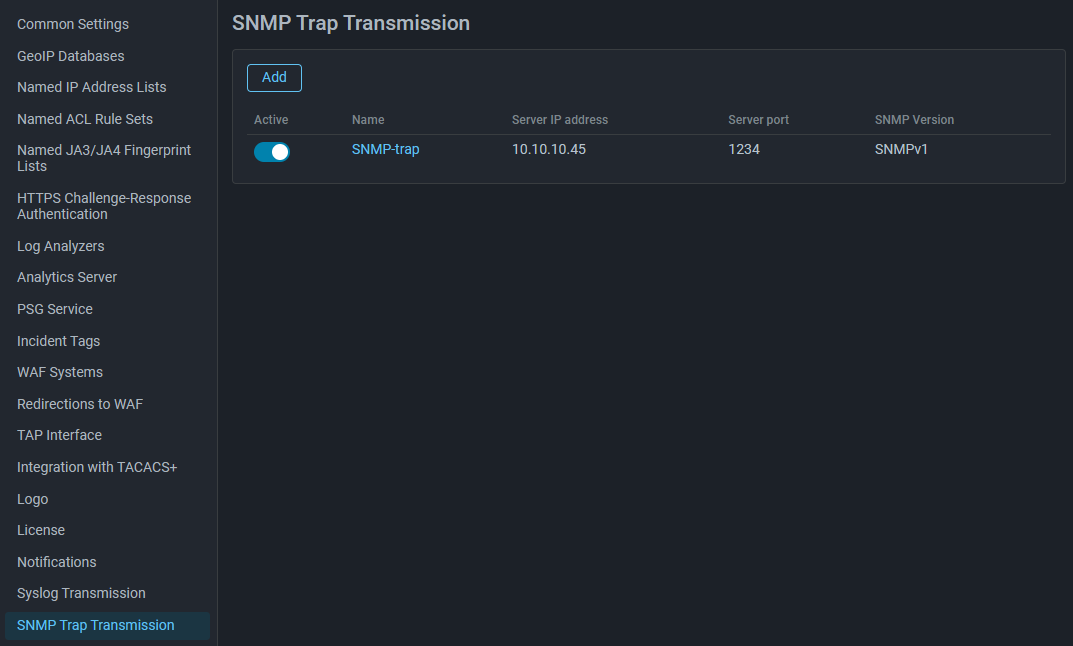
To get the MIB file, make an API request /snmp/event_mib with the GET method.
A detailed description of the REST API as an HTML page and OpenAPI specification
is available in the built-in help.
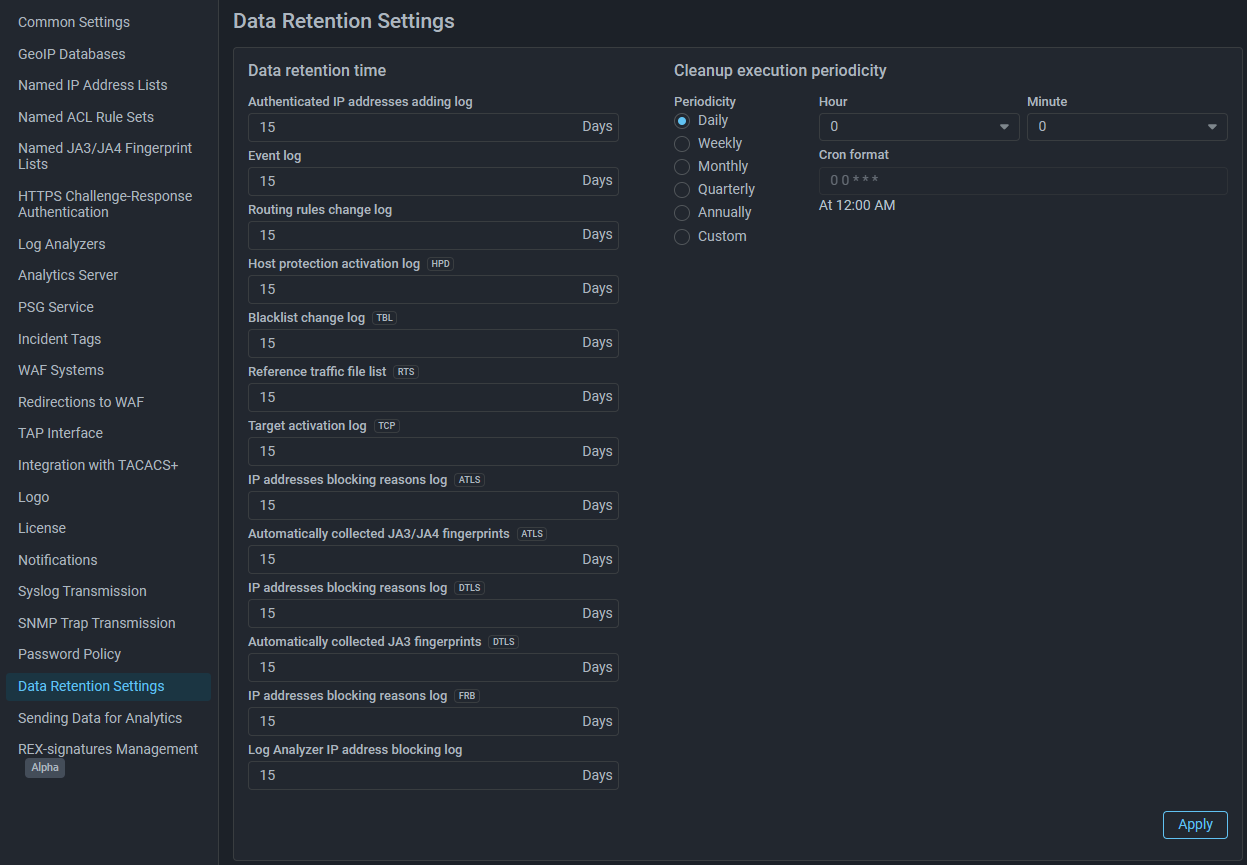
Added a setting for the retention depth of the IP address blocking reasons log for the FRB countermeasure.

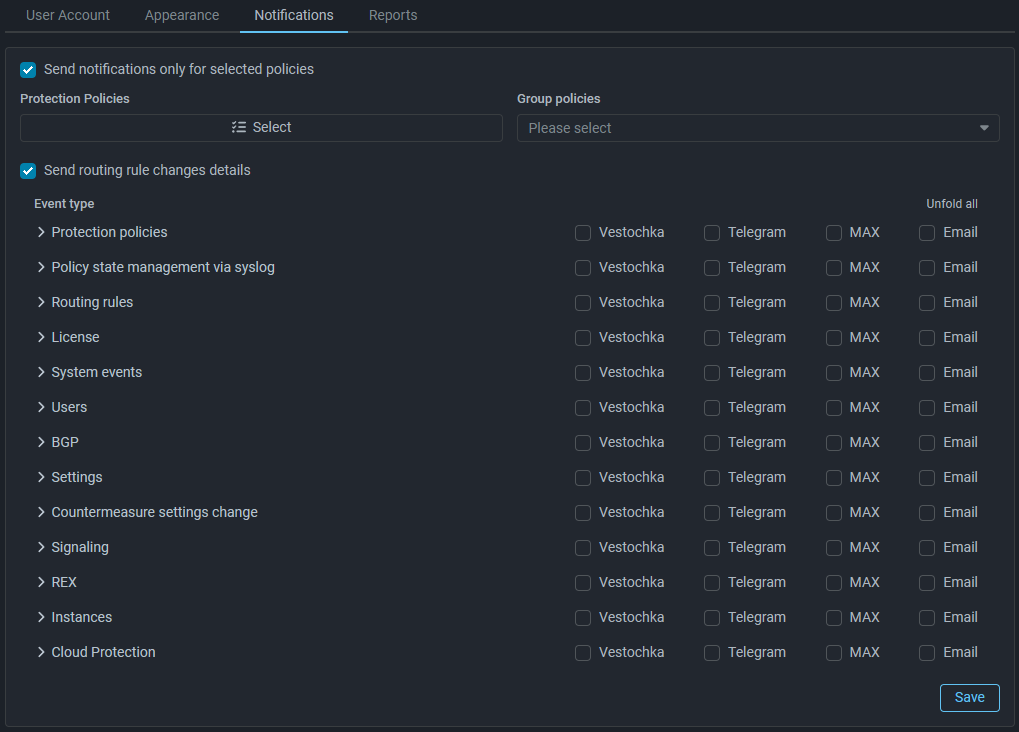
If the flag is not set, notifications about changes in routing rules will contain only the fact that changes were made, but will not contain the details of these changes.
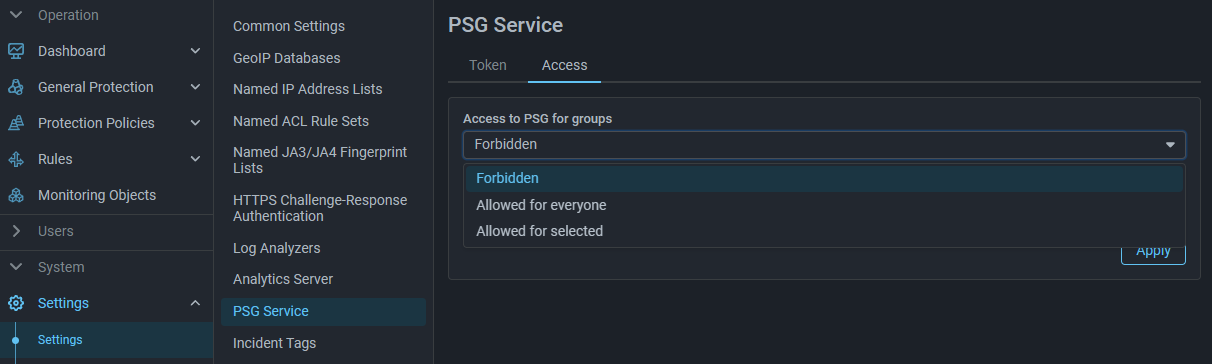
A new page “PSG Service” has been added to System Settings, where you can set connection parameters to the service and define access level to service functions for groups.
Now the titles of graph areas and widgets have color fill depending on the type of traffic displayed on them. The changes affected the following interface pages:
- “Dashboard” - “Top Policies” tab,
- “Overview” - “Top Policies” widgets,
- “Flow Analysis” - “Dashboard” (Input, Drop, Pass) and “Top Policies” tabs,
- “Protection Policies” - “Flow Analysis” tab (Input, Drop, Pass),
- “Monitoring Objects” - “Monitoring Object” page, “Flow Analysis” tab (Input, Drop, Pass).