Version v26.06

Version v26.06 adds: changed mechanism for determining country affiliation of IP addresses, transfer of protection policy settings between clusters via clipboard, graphs of traffic bypassed by WL and TWL countermeasures, handling of host field values in Logan rules, PSG service connection settings, SNMP Trap sending, separate permissions for accessing monitoring objects sections, MAX messenger support, support for multiple alternative tunnels in protection policy, FRB blocking reasons log, widget category for building graphs on passed traffic in flow analysis.

The functionality of ATLS, FRB countermeasures, as well as Flow analysis, monitoring objects, ISN synchronization agent and notifications has been expanded.

UX improvements have been made.

Changes in v26.06

"Dashboard" Page

Added graph areas for tops by WL and TWL bypassed traffic

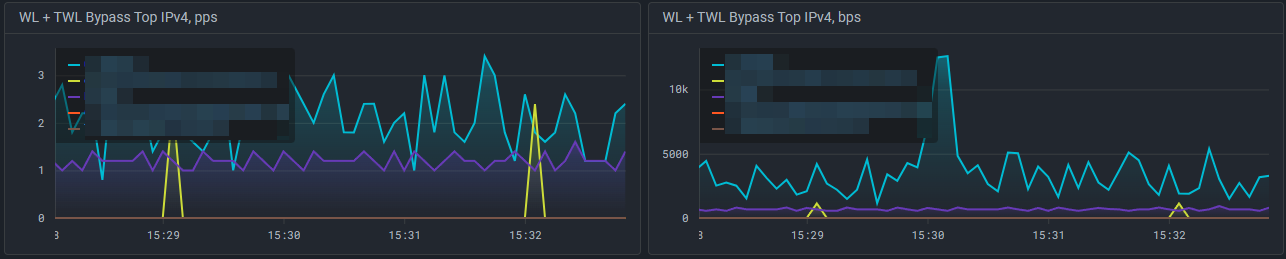
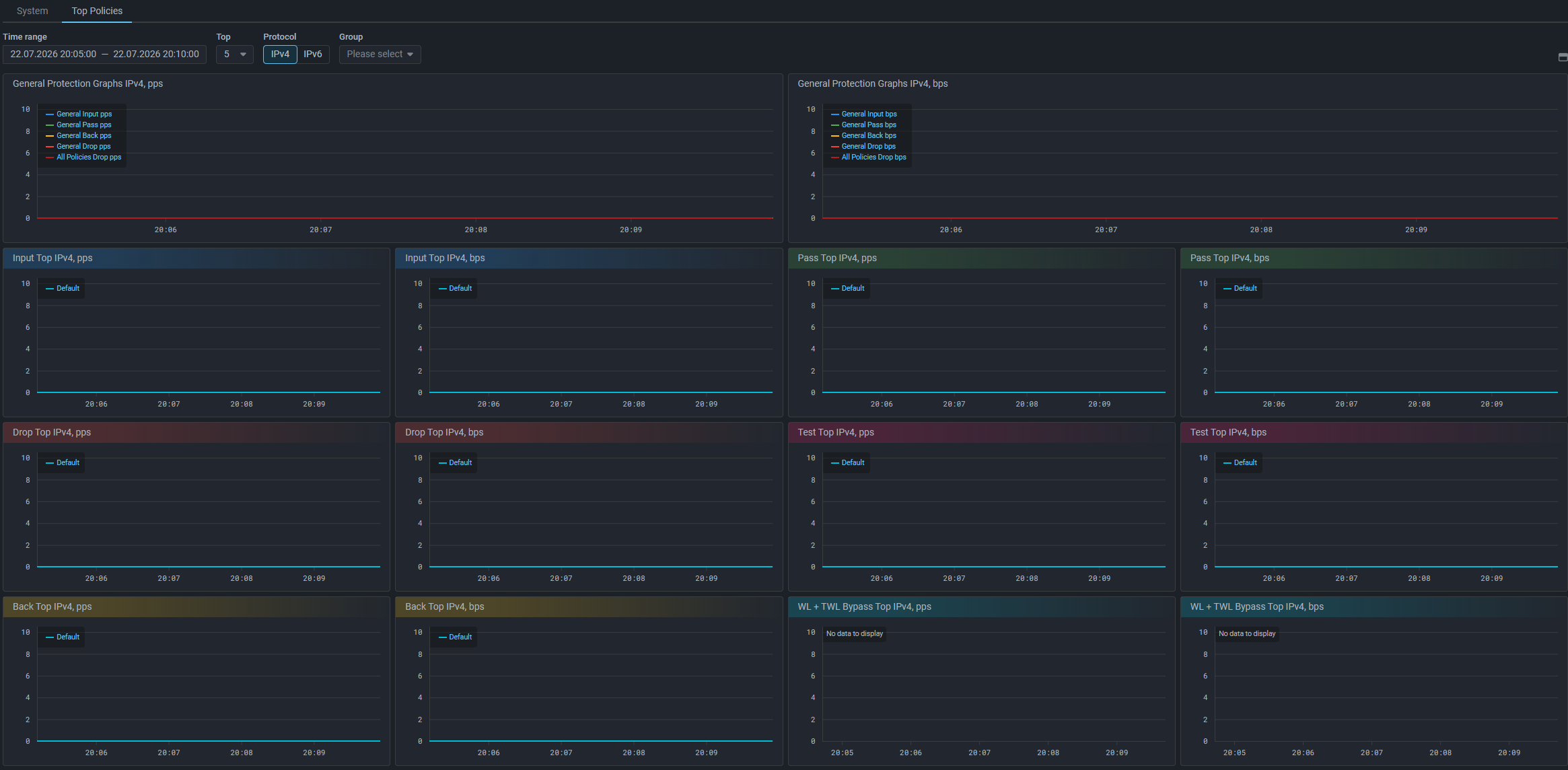
On the “Top Policies” tab of the “Dashboard” page, graph areas “WL + TWL Bypass Top IPv4, pps” and “WL + TWL Bypass Top IPv4, bps” have been added, which display the top of protection policies with the highest traffic bypass by WL and TWL countermeasures.
"Overview" Page

Added widgets for monitoring objects

Widgets have been added to the “Monitoring Objects” category:

  • All traffic by MO;
  • Inbound traffic in both domains by MO;
  • Outbound traffic in both domains by MO.

"Flow Analysis" Page

Added widget category for building graphs on passed traffic

Added widget category “Pass”. Widgets in this category display sFlow from MITIGATOR on passed traffic.
Added filters by monitoring object traffic

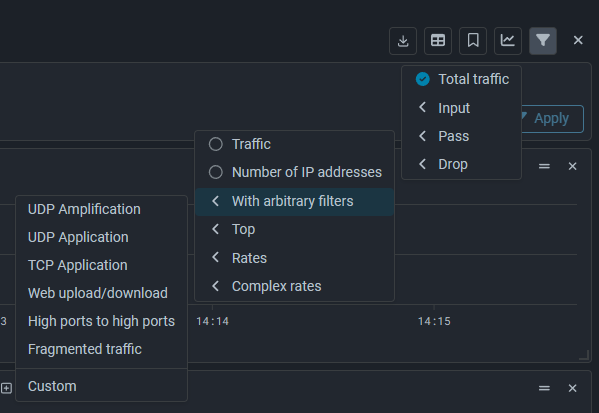
New filters have been added to the “Flow Analysis” page in monitoring, protection policy, and monitoring object, useful for initial setup of a monitoring object and for taking into account more traffic classification features.

  • inbound_mo — inbound traffic across all domains;
  • outbound_mo — outbound traffic across all domains;
  • composite_mo — all traffic of the object.

General Protection

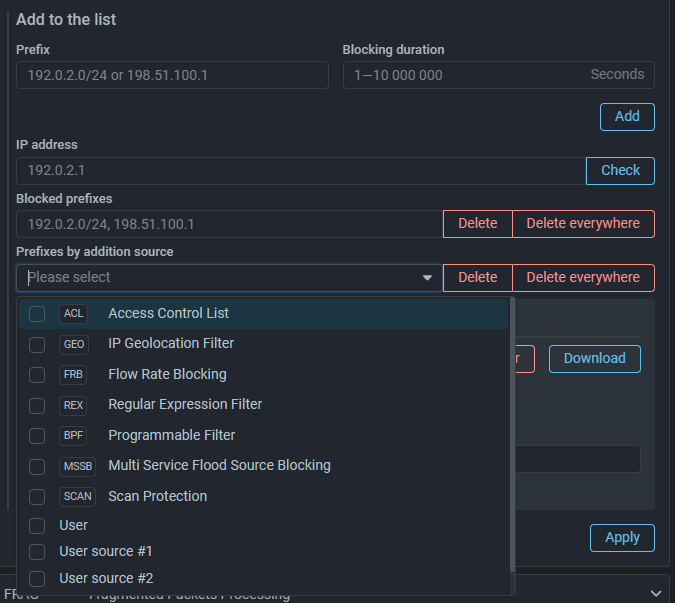
Added graphs of traffic bypassed by WL and TWL countermeasures
  • General WL + TWL Bypass – rate of traffic bypassed to system output by WL and TWL countermeasures in General Protection;
  • All Policies WL + TWL Bypass – total rate of traffic bypassed to output of all protection policies by WL and TWL countermeasures.

Protection Policy

Added transfer of protection policy settings between clusters via clipboard

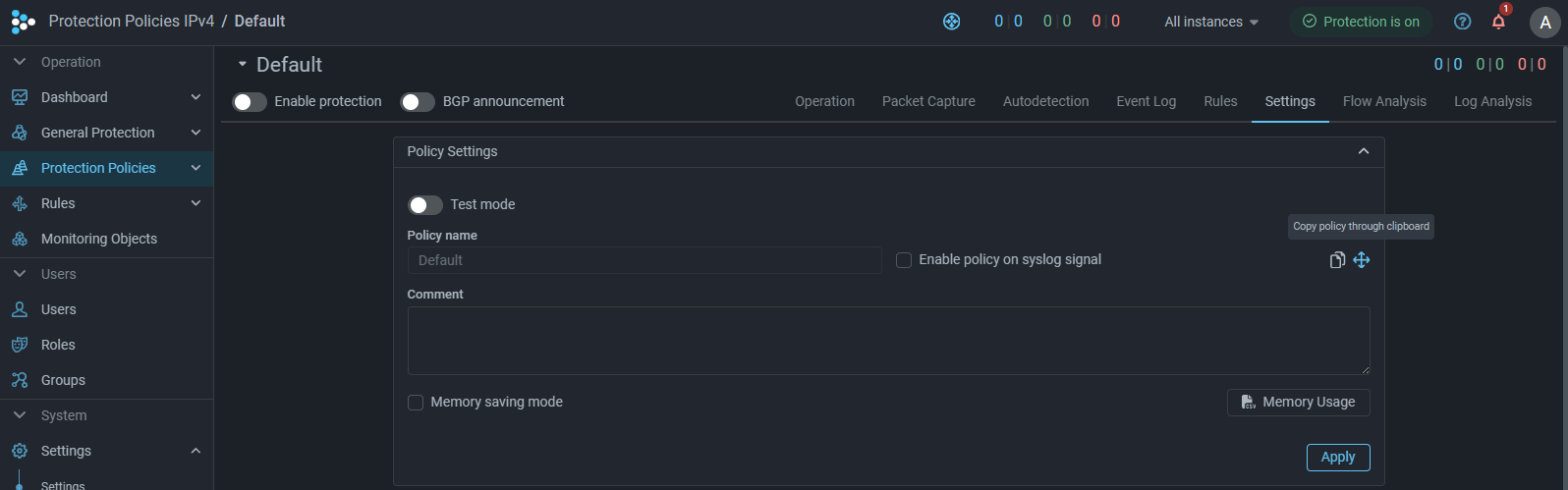
A button for copying policy settings via clipboard has been added to the “Settings” tab in the protection policy.
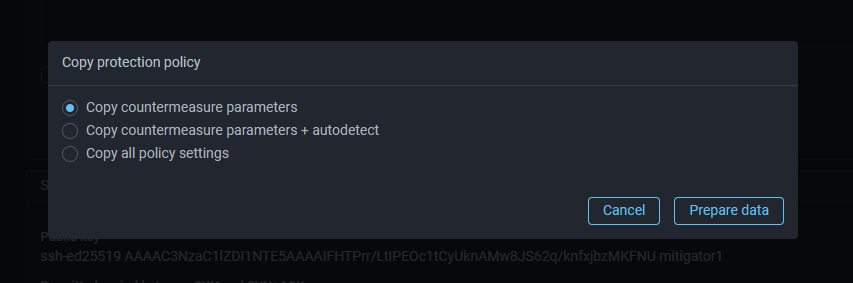
When copying, the scope is selected. You can copy:

  • countermeasure parameters;
  • countermeasure parameters and autodetection settings;
  • all policy parameters and settings.

Settings are saved to clipboard in JSON format and can be applied to another protection policy, for example, on another MITIGATOR cluster. Application will completely replace all current protection policy settings with new ones.

Note

Since different MITIGATOR versions may have different sets of settings, transfer of protection policy settings should be performed between clusters with the same version. Correctness of applying settings when transferring between clusters of different versions is not guaranteed.

Added support for Kubernetes cluster scenario for ISN synchronization agent

Countermeasures and Functions

FRB. Added blocking reasons log

Now in the FRB countermeasure you can enable logging of blocking reasons.
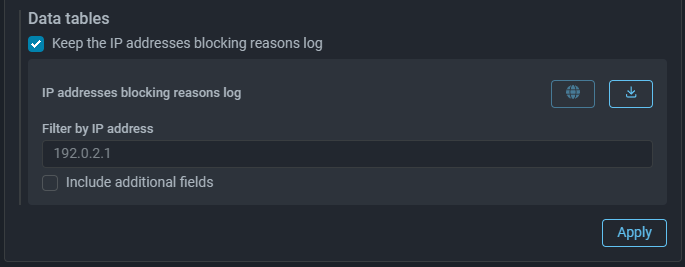
The log records the fact that a specific rule triggered for an IP address.

instance_id,instance_name,created_at,ip,reason,rule
1,Mitigator0,2022-09-02 10:44:31.53622 +0000 UTC,10.0.2.254,LimitBps,BITS 200 ACL icmp
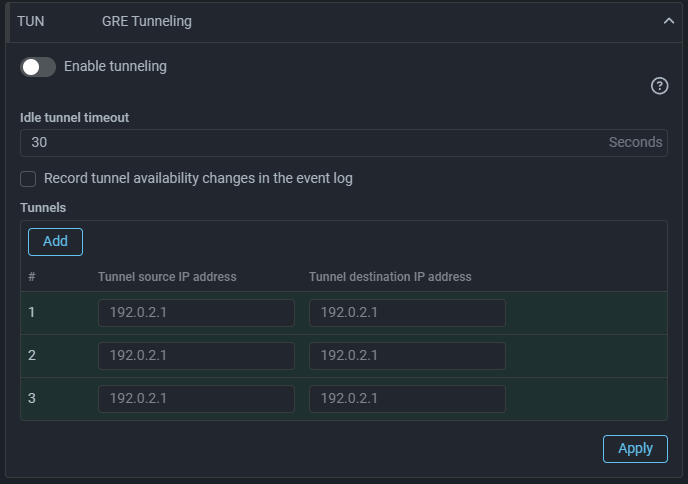
TUN. Added support for multiple tunnels in protection policy

Added support for configuring multiple alternative tunnels in a protection policy. When the active tunnel becomes unavailable, traffic is switched to the next one in order.
ATLS. Removed message segment size checks in passive mode

System Settings

Added SNMP Trap sending

A “SNMP Trap Transmission” page has been added to System Settings, allowing to configure sending SNMP Trap messages to monitoring systems.
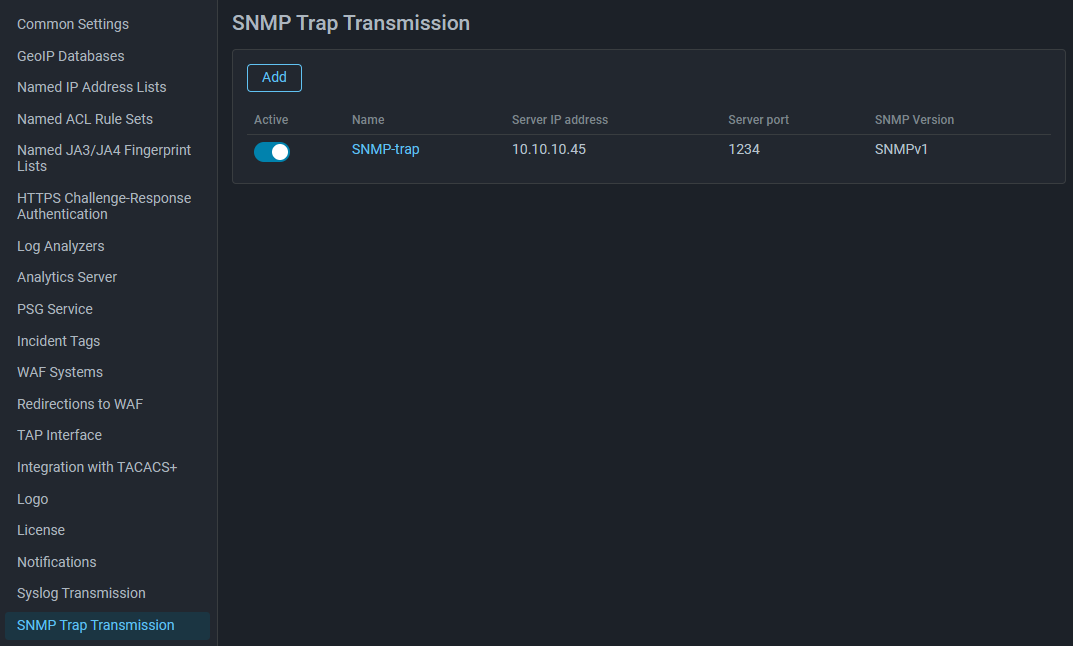
To get the MIB file, make an API request /snmp/event_mib with the GET method. A detailed description of the REST API as an HTML page and OpenAPI specification is available in the built-in help.

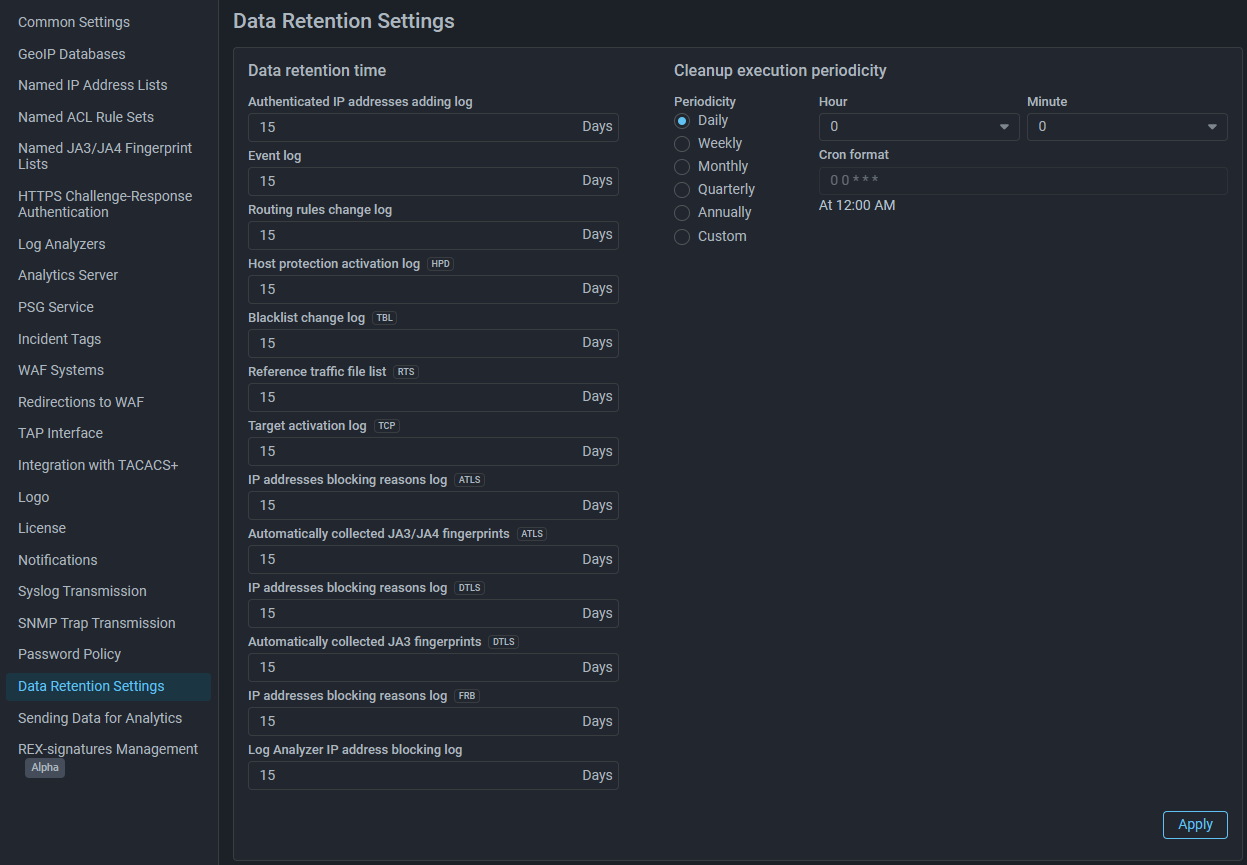
Added setting for FRB blocking reasons log retention depth

Added a setting for the retention depth of the IP address blocking reasons log for the FRB countermeasure.

BGP

Added ability to set a Collector instance as a BGP speaker

Logan

Added handling of host field values in Logan rules

Now for rules with block and alert actions you can check the value of the $host field.

Regular expressions are supported, which allows describing a pattern that values in the field should (host) or should not (not host) match.

Also added the keyword host-ip, which allows responding to specification of an IP address in the $host field.

Examples:

# Block IP address for 300 seconds where the value in the $host field
# matches the pattern `^api\.example\.com$`:

block 300 host ^api\.example\.com$

# Block IP address for 120 seconds where the value in the $host field
# does not match the pattern `^internal\.example\.com$`:

block 120 not host ^internal\.example\.com$

# Create entry in event log when receiving from IP address
# two or more requests within 10 seconds containing an IP address in the $host field:

alert host-ip limit 2 period 10

Roles and Permissions

Added separate permissions for accessing object monitoring sections

Delivery Channels

Added MAX messenger support

Added support for sending to MAX messenger:

  • system event notifications;
  • packet capture files;
  • incident reports;
  • regular reports.

Notifications

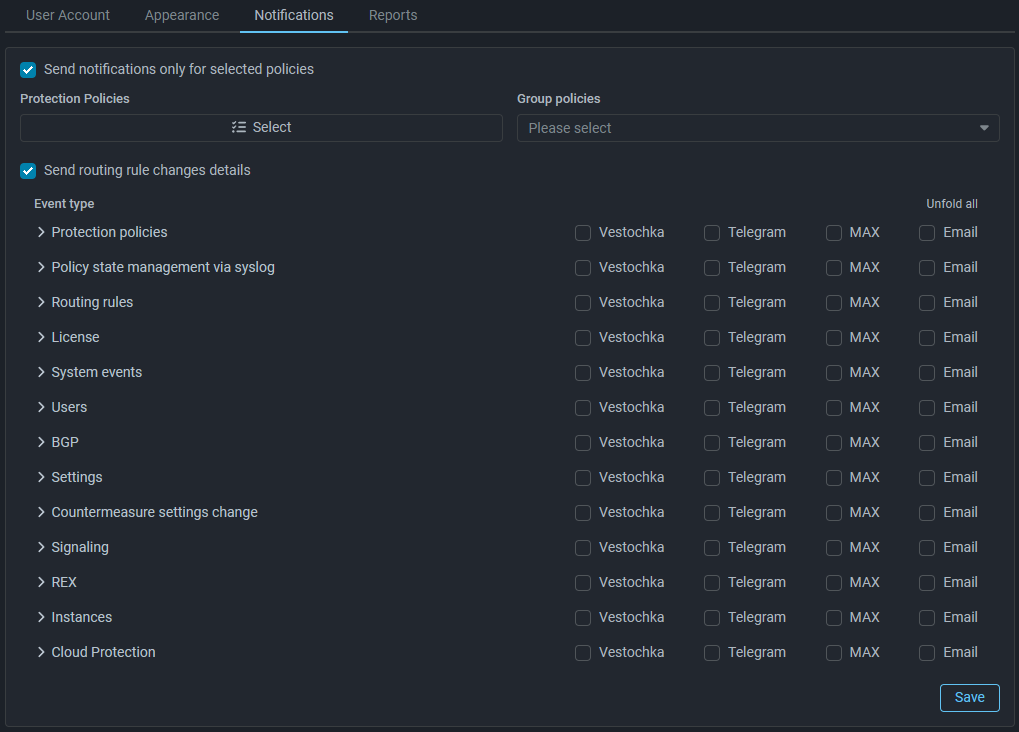
Added option to control sending details of routing rules changes

If the flag is not set, notifications about changes in routing rules will contain only the fact that changes were made, but will not contain the details of these changes.
PSG

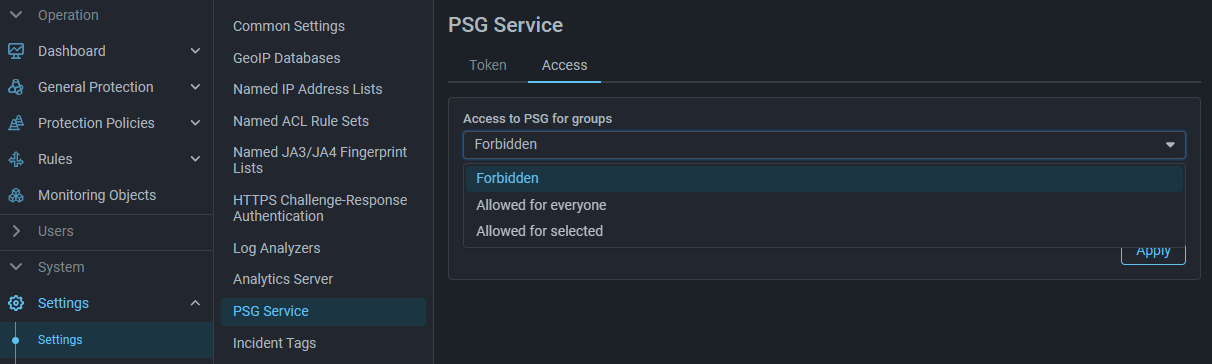
Added PSG service connection settings

A new page “PSG Service” has been added to System Settings, where you can set connection parameters to the service and define access level to service functions for groups.
UX

Added color differentiation for graphs depending on traffic type

Now the titles of graph areas and widgets have color fill depending on the type of traffic displayed on them. The changes affected the following interface pages:

  • “Dashboard” - “Top Policies” tab,
  • “Overview” - “Top Policies” widgets,
  • “Flow Analysis” - “Dashboard” (Input, Drop, Pass) and “Top Policies” tabs,
  • “Protection Policies” - “Flow Analysis” tab (Input, Drop, Pass),
  • “Monitoring Objects” - “Monitoring Object” page, “Flow Analysis” tab (Input, Drop, Pass).
Core

Changed mechanism for determining country affiliation of IP addresses

The change optimizes resource consumption by the packet handler when there are many protection policies with activated geo-filtering.

Note

In the current implementation, this change affects filtering by autonomous system numbers in the GEO countermeasure and the action for other countries in the WL countermeasure.

Recommendations for GEO: Specifying an autonomous system number in the GEO countermeasure may lead to broader association of IP addresses to the specified AS than the AS actually contains.

If you need to bypass traffic of certain autonomous systems around the GEO countermeasure, use countermeasure bypass in the WL countermeasure, specifying the autonomous system number.

To drop traffic of specified autonomous systems, use the BL countermeasure.

If filtering by autonomous system numbers directly in the GEO countermeasure is critically important for you, do not update to version v26.06. In future versions, correctness of filtering by AS numbers will be restored.

Recommendations for WL: If the checkbox “Pass traffic from other countries without processing” is set, then in the current implementation it is mandatory to specify at least one countermeasure in the “Only for countermeasures” field.

If it is important for you that traffic from countries for which no rules are defined is not processed by any of the subsequent countermeasures, specify an unused disabled countermeasure in the “Only for countermeasures” field.